
AI agent package publishing without release-token sprawl
AI agent package publishing needs separate controls for downloads, releases, tags, and deletion. Test the full release path with a disposable package.
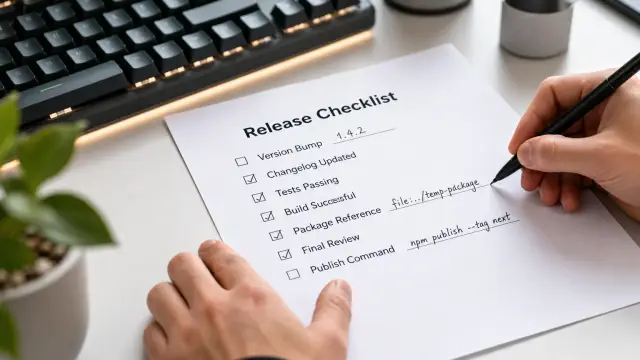
An AI coding agent should be able to install dependencies without holding the authority to publish, unpublish, delete, or retag packages. Those operations look adjacent in a command line, but they carry completely different consequences. Treating them as one permission turns routine development work into release authority.
I have seen release credentials spread because a team wanted an agent to run one harmless install command. The token then sat in a shell environment, a configuration file, or command output, where any tool in that run could reuse it. The later failure rarely begins with a dramatic compromise. It begins with an agent using npm publish against the wrong registry, moving latest before anyone has looked at the tarball, or attempting an unpublish because it interpreted a test cleanup request too literally.
A registry read does not grant release authority
Package installation and package publication use the same registry endpoint family, but they answer different trust questions. A download asks, "May this process fetch an artifact?" A publish asks, "May this process create a public or organization-visible release under this name?" A delete or unpublish asks, "May this process alter the history and availability of a release that other builds may already consume?"
Do not collapse those questions into one credential because the registry client makes them look similar. A package manager may read configuration from the same .npmrc file for npm ci, npm publish, npm dist-tag add, and npm unpublish. That file layout is a client convenience, not a permission design.
For an agent, split registry actions into at least these groups:
- Read: metadata lookup, tarball download, integrity verification, and dependency installation.
- Publish: creation of a new immutable version under an approved package name.
- Route: changes to mutable channels such as
latest, prerelease tags, or registry access settings. - Destructive: unpublish, package deletion where a registry permits it, and removal of a release tag.
The distinction between publish and route matters more than many release scripts admit. A versioned package may be fine, while assigning it latest sends new consumers to it. Conversely, a prerelease published under a dedicated tag may be low risk if your users must opt into that tag. The package bytes and the path consumers take to them are separate controls.
Deletion deserves its own category even when a registry restricts it. Registry rules vary, and some operations called "delete" only hide an artifact or mark it unavailable. That does not make the action harmless. It can break reproducible installs, incident investigations, and teams that pinned the removed version. An agent must never infer that cleanup is safe merely because the version was published minutes earlier.
Broad publish tokens fail in ordinary ways
A registry token in an agent environment is an authorization grant with a convenient file format. It is not a scoped instruction. If the agent can read the environment or a config file, a prompt injection in a dependency, issue template, build log, or copied terminal text has a path to the credential.
The common recommendation is to use a token with the narrowest scope that the registry offers. That is sound advice, but it is incomplete. A token restricted to publishing can still publish an unwanted version, to an unintended package where its account has access, or to a registry endpoint selected by altered configuration. Scope reduces blast radius. It does not establish intent for each release.
A failure I have cleaned up more than once has this shape:
- A team gives an agent a registry token so it can run release checks.
- The project config points to the production registry because that is what developer machines use.
- The agent needs to validate package contents and runs
npm pack, which is harmless. - A follow-up instruction says to "test publishing" and the agent runs
npm publishrather than publishing to an isolated destination. - The command succeeds because the token and package name are valid. The team notices only after automation or users see the new version.
Nothing in that chain needs a hostile actor. The design handed a planning system a credential and trusted it to preserve a boundary that the operating environment did not enforce.
Keep the credential out of the agent process. Let a separate action gateway hold it and execute a specific HTTP request or command after it has checked the requested destination and obtained the required human approval. Sallyport follows that pattern: the agent receives a result of an authorized action, never the registry token itself.
That design still requires good action definitions. A gateway that approves "any request to registry.example" has only moved the broad token problem behind a button. The request needs enough visible detail that the approver can distinguish a tarball fetch from a version publish and a package publish from an unpublish.
Make the release request inspectable before it runs
A human cannot approve a vague instruction such as "release the package." The approval surface should show the package identifier, exact version, registry host, operation, and tag change if one will occur. If the agent cannot supply those fields, it has not prepared a release request yet.
For an npm-compatible registry, separate the work into an artifact inspection phase and a registry mutation phase. The inspection phase can run without publication authority:
npm ci
npm test
npm pack --json
npm pack --json returns structured information about the tarball it would create. The useful parts have a shape like this:
[
  {
    "id": "@acme/[email protected]",
    "name": "@acme/widget",
    "version": "1.4.0",
    "filename": "acme-widget-1.4.0.tgz",
    "files": [
      {"path": "README.md", "size": 2400},
      {"path": "dist/index.js", "size": 18420},
      {"path": "package.json", "size": 910}
    ]
  }
]
Inspect the file list, not just the command exit code. I look for source directories that should have stayed private, test fixtures with credentials, a missing compiled output directory, and package metadata that names the wrong entry point. npm pack is where those mistakes are cheap.
Then collect the registry state separately. The npm CLI documentation describes npm view as a way to inspect package metadata from the registry. Use it to ask concrete questions rather than accepting a broad dump of data:
npm view @acme/widget version dist-tags --json
npm view @acme/[email protected] dist --json
The first command tells you what version exists and where tags point. The second is useful after publication because dist contains the registry's recorded tarball address and integrity data. A release workflow should preserve this output in its release record, with secrets removed, because it captures what the registry accepted rather than what the local directory intended to send.
Build an approval request from these facts. A good request says: publish @acme/[email protected] to registry.example, with no tag move. A bad request says: run npm publish. The first lets a reviewer spot a namespace error. The second asks the reviewer to reconstruct the intent from a command they may not trust.
A disposable package proves the registry path
A disposable package is the safest way to test the path that turns a prepared tarball into a retrievable registry release. It does not prove your production package is ready. It proves that authentication, registry selection, publishing mechanics, and clean installation work together under controls that resemble the real release.
Use a package name under a namespace you control and make the package plainly temporary. Do not imitate a popular package name, and do not use a name that could later become a real product by accident. Put a tiny, inert module in it. Its job is to be published and installed, not to demonstrate application behavior.
This minimal package.json keeps the test legible:
{
  "name": "@acme-release-test/relay-check-2025-04",
  "version": "0.0.1",
  "description": "Temporary registry release-path check",
  "main": "index.js",
  "files": ["index.js", "README.md"],
  "publishConfig": {
    "access": "restricted"
  }
}
Choose access settings that match your actual package type. Do not copy restricted blindly if your real package is public, and do not make a disposable test public merely because that feels more realistic. The point is to exercise the same authorization and intended audience boundary. If public publishing is the behavior you must test, use an explicitly temporary public name and verify the registry's retention and unpublish rules before you begin.
Run the test in a fresh directory so cached metadata and an existing workspace cannot flatter the result:
mkdir release-path-check
cd release-path-check
npm init -y
npm install @acme-release-test/[email protected]
node -e "console.log(require('@acme-release-test/relay-check-2025-04'))"
A successful npm install answers a better question than a successful publish response: can a clean consumer resolve and retrieve the named version? If your package uses exports, type declarations, a command-line binary, or a postinstall script, test the relevant public entry point in this fresh directory too. The registry stored the package does not mean the consumer can use it.
Do not delete the test package merely to leave a tidy account. Leave an audit trail according to the registry's normal rules, or use deprecation where that is appropriate. A release test should teach the agent and the team what a real post-publish record looks like. Erasing it teaches both that publication history is disposable.
Package contents and registry acceptance are separate tests
Teams often call npm pack a release test. It is a package-content test. Teams then call a successful npm publish a release test. It is a registry-acceptance test. Neither substitutes for the other, and treating either as complete causes predictable gaps.
Package-content testing asks whether the tarball contains the intended files and metadata. It catches a .npmignore accident, an overly broad files array, a missing built artifact, and a version mismatch between source and manifest. You can perform much of this work without network access.
Registry-acceptance testing asks whether the registry recognizes the credential and namespace, accepts the version, stores the tarball, records integrity information, and makes it available to a consumer. It catches a wrong registry host, a missing organization entitlement, a publish configuration error, and an authorization path that differs from local development.
Consumer testing asks a third question: can a clean project install the exact release and invoke it in the way users will? This is where missing peer dependencies, bad exports entries, and accidental reliance on workspace files show up.
Keep those tests in that order. Publishing first because "we can always unpublish" is poor discipline. Unpublish is not a rollback button. Some users, mirrors, caches, and build records can retain the package, while other consumers lose the ability to resolve it. A mistaken version may be recoverable operationally, but it still creates work and confusion that a local tarball inspection would have prevented.
Approval should follow the consequence of the call
Session-level approval is useful for a run that performs many expected reads. Asking someone to approve each metadata lookup trains them to click without reading. That is approval fatigue, and it makes the meaningful prompt less likely to receive attention.
But publication and deletion should interrupt that flow. Each one changes external state in a way that a routine dependency download does not. Require a distinct confirmation for a new package version, another for a dist-tag change, and another for every destructive action. If the agent proposes two package publishes, show two requests. Batch approval hides the exact version where a reviewer needs to look.
The per-call prompt should include enough information to reject an action for the right reason:
- The registry host and the package scope or owner.
- The operation: publish, tag move, deprecate, unpublish, or delete.
- The exact version involved and the requested tag transition.
- The agent process that asked for it, so a reviewer can reject an unexpected caller.
- A short reason drawn from the release plan, not free-form tool output.
Do not require a human to parse an authorization header or compare opaque hashes in the moment. Those are audit details. The live decision should show the action's consequence in plain language, while the system preserves the underlying request for later review.
Sallyport's per-call key control fits the publish boundary well: the registry credential can require approval every time it is used, while the agent still performs ordinary work under a separate session decision. That does not replace review of the package contents. It prevents a release credential from becoming background authority after one earlier click.
Treat tags as a consumer-routing change
A dist-tag can make a sound version unsafe for your users. In npm-compatible registries, an install without an explicit version commonly follows the latest tag. Moving that tag changes what new installs receive, even though the already published tarball stays unchanged.
Keep publishing and tag movement as separate requests. Publish a candidate version first, then retrieve it by exact version in a clean test project. Only after that check should someone decide whether latest moves. This gives you a useful pause: the bytes are visible under an immutable version, and the routing decision has not happened yet.
The commands make the distinction plain:
npm publish --tag candidate
npm view @acme/widget dist-tags --json
npm dist-tag add @acme/[email protected] latest
The first command creates a version and assigns a candidate route. The last command changes the route many users follow. A release script that hides both inside one helper function removes the most useful point for human judgment.
Do not let an agent repair a tag mistake by guessing. If latest points to the wrong version, the agent should report the current tag map, the intended version, and the proposed correction. A reviewer should confirm it. This is one of those places where the cost of an extra click is tiny compared with the cost of sending a bad package to every new install.
Keep audit records useful after the incident call
A command history alone does not answer who authorized a registry mutation, which agent run issued it, or whether someone edited a log afterward. Release operations need a record that joins the request, approval, execution result, and returned registry metadata.
Record the package name, version, registry host, operation type, final status, and a reference to the artifact inspection produced before the action. Do not record tokens, authorization headers, or raw configuration files that might contain credentials. A good audit record lets a maintainer answer a practical question months later: did we publish this version, move a tag, or merely attempt it?
Tamper evidence matters because release logs often become evidence only after something goes wrong. Sallyport keeps session events and individual calls in separate journals projected from an encrypted hash-chained audit log, and sp audit verify can verify that chain offline without a vault key. That is stronger than trusting a mutable text file in the repository.
Logs do not make a dangerous action safe. They make it possible to reconstruct the path when an approval prompt was misunderstood, a registry destination was wrong, or a release process did something that nobody expected. Pair the log with an instant way to revoke a running agent session. When a release starts behaving strangely, stopping the next call has more value than writing a perfect postmortem later.
Put the disposable test in the release contract
The disposable publish test should be a planned release-path check, not an improvisation after a production release fails. Define when it runs: when a registry integration changes, when credential handling changes, when you adopt a new package manager configuration, or before granting a new agent workflow publish access.
Keep its authority narrower than production authority where possible, but do not make it so artificial that it misses the real failure mode. Test the same registry class, the same request broker, the same credential storage pattern, and the same clean-install verification. If production publishing requires a human approval, the test should require it too. Otherwise you tested a different system.
The first useful action is to remove registry write credentials from agent-visible environment variables, then run one disposable package through the exact controlled path you intend to trust. Read the package file list before approval. Inspect the exact version after publication. Leave deletion as a separately approved action, because a clean test account is never worth an accidental hole in your release boundary.
FAQ
Why should package downloads and publishing use different permissions for AI agents?
No. Downloading a public package exposes a dependency choice, while publishing creates a version that downstream users may install. Deletion, unpublishing, and changing dist-tags can break users who already depend on the name, so they need separate approval boundaries.
What is a disposable package for release testing?
Use a throwaway package name under an account or scope you control, publish a harmless first version, install it from a fresh directory, then deprecate it if the registry supports that action. Do not use a package name that resembles a real product or another maintainer's namespace.
Should an AI agent be allowed to unpublish a package?
For a package that users may install, treat deletion as a distinct destructive action. A fresh publish can be approved per release, but unpublish and delete should ask again every time, even if the same agent session is still active.
Are dist-tags as risky as publishing a new package version?
A tag is mutable routing data, not a substitute for an immutable version. Permit an agent to inspect tags freely if appropriate, but require explicit approval before it moves latest, creates a release tag, or removes a tag.
Can I test an npm release without touching my production package?
Yes, provided the test package uses the same registry, authentication path, repository settings, and installation command as the real release. A local tarball test checks packaging, but it does not prove that registry authorization or post-publish retrieval works.
What does a disposable registry publish test actually prove?
It proves only that the registry accepted the artifact and that a clean consumer can resolve the intended version. It does not prove that the package behaves correctly, contains no malicious dependency change, or that a later tag move will be safe.
Is it safe to put a package registry token in an AI agent environment?
Do not give the agent a broad registry token in its environment. Keep the credential outside the agent process, bind it to an explicit publish action, and require a human decision for the release boundary.
Should one approval cover publish and delete actions?
Usually no. A request to publish a named package deserves a direct approval, and a request to delete or unpublish deserves another one. Reusing approval for routine reads is sensible; reusing it for irreversible registry writes is how a convenient workflow becomes an incident.
What should I verify before an agent publishes a package?
Check the packed file list, the exact version, registry target, package name, and current tag state before publishing. Afterward, install the exact version into a clean temporary project and inspect what the registry actually served.
What should happen when an AI agent's package publish fails?
The agent should stop at the failed command and return the registry response, intended package name, version, and command it attempted. A human should decide whether the problem is a bad version, a missing permission, an unexpected registry, or a request that should not proceed.