
Local agent gateways with macOS MDM
Roll out local agent gateways with macOS MDM using signed packages, user-session launch, update rings, local vaults, and safe retirement.
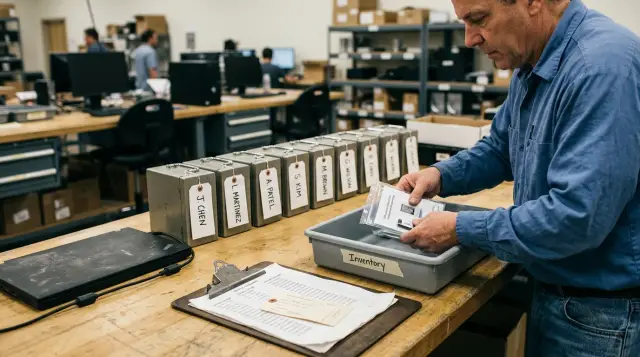
A local agent gateway should be deployed like a security-sensitive desktop application, not like a shared secret delivery system. MDM owns the signed application, its version, its launch state, and its removal. The developer owns the credentials they place in a local vault and the approvals that let an agent act with those credentials.
That split is more than tidy administration. When IT pushes API keys through MDM, every compromise of the management plane, inventory export, deployment script, or configuration profile becomes a possible secret exposure. When an agent receives the key itself, every log, tool transcript, shell history, and prompt boundary becomes part of the secret's attack surface. A gateway exists to keep that credential out of the agent process. Do not undo that design during rollout.
This is the operating model I would use for a fleet of managed Macs: distribute one verifiable app package, start it in the right user context, move releases through rings, make each developer enroll their own credentials locally, and retire devices through a sequence that removes access before it erases hardware.
MDM should distribute the gateway, not the developer's authority
MDM should know which Mac has the approved application and which release it runs. It should not become a vault for personal API tokens, SSH private keys, or pasted credential files.
People often blur two separate things because both are called "configuration." Installing an app is fleet configuration. Giving a person or an agent permission to call a production API is delegated authority. The first belongs in MDM. The second belongs in a local, user-controlled vault with a clear approval boundary.
That distinction has a practical consequence during onboarding. Your MDM workflow can install the gateway before the developer opens their editor. The developer's first-run workflow must still ask them to create or unlock their own vault and add only the credentials they are authorized to use. IT can document the approved credential types and required service accounts, but it should not collect the secret material to push back out later.
This also keeps offboarding honest. Removing a managed app does not revoke a cloud token that was copied into a profile months ago. A local vault lets the user remove a credential directly, while the service owner can still revoke the token at its source. That gives you two independent ways to end access instead of one brittle cleanup script.
For Sallyport, this division is intentional: the app keeps API keys and SSH keys in its encrypted local vault and performs HTTP or SSH actions itself, rather than passing credentials to the connected agent. The deployment design should preserve that property.
A sensible MDM record for the gateway contains only operational facts:
- device serial number or management identifier
- assigned deployment ring and app version
- package receipt and installation result
- primary support owner and exception expiry
- whether the app is required, optional, or pending removal
Do not add secret names, token values, private-key paths, or approval history to that inventory field. Those details either expose sensitive context or create a misleading impression that MDM can reconstruct a user's working access.
The package is the deployment contract
A signed installer package is the artifact that makes a fleet rollout repeatable. A disk image handed around in chat, a zip extracted into Downloads, or a script that copies an app bundle into /Applications is not a deployment contract.
Apple's deployment documentation says that packages installed through device management must carry a signature the device can verify. It also recommends self-contained applications, which avoids custom installation scripts for ordinary app deployment. That is good advice here. Scripts multiply failure paths, run with confusing privileges, and tend to survive long after the application layout changed.
Build one release artifact for each published version. Give it a versioned filename, retain its checksum in your release record, and require the same package in every ring. A ring should test exposure to the same build, not an untraceable variation assembled for each group.
Before uploading a package to MDM, verify both the package and the installed app on a clean test Mac. These commands give you a useful minimum check:
pkgutil --check-signature Sallyport.pkg
spctl -a -vv -t install Sallyport.pkg
The first command should identify a signed installer and a valid signing chain. The second should assess the package for installation. After deployment, inspect the application bundle too:
codesign --verify --deep --strict --verbose=2 /Applications/Sallyport.app
spctl -a -vv /Applications/Sallyport.app
Do not accept a green MDM status as proof that the right binary is ready. MDM may report that the package installed even when a later login item, background helper, entitlement, or user-session requirement prevents the app from doing useful work. Package verification and functional testing answer different questions.
Keep the package boring. It should install the application in its expected location, avoid downloading a second executable during postinstall, and avoid writing credentials or per-user settings. If a package needs an elaborate postinstall script to make the product work, stop and ask whether the application design or packaging boundary is wrong. You will pay for that script during every macOS upgrade and every incident response review.
The installed app should be removable as an app, not as a forensic exercise. Apple notes that an app bundle placed in /Applications by a package can be managed and individually removed by the device management service. That is one reason to avoid scattering core files across arbitrary directories.
Start the app in the developer's session
A gateway that asks for local approval or needs access to a user-protected vault must run in the logged-in user's context. A root daemon is not a substitute for that context.
This is where teams make a predictable mistake. They see "always running" and reach for a LaunchDaemon because it runs before login and survives user logout. Then they discover the daemon cannot truthfully present a user approval prompt, cannot use the expected user keychain or biometric authorization path, and has accumulated more privilege than the task needed.
Apple draws the boundary clearly. A login item starts when the user logs in and runs in that user's session. A LaunchAgent also runs for the logged-in user. A LaunchDaemon runs at the system level, may run before login, and runs as root. Apple also describes login items as appropriate for a user-facing app that should remain active during that user's session.
For a menu-bar gateway, the normal choice is a managed login item or the application's own supported login-item mechanism. It should start after the user reaches the desktop, remain visible enough that the developer can tell it is active, and stop when the user logs out. Do not hide a security boundary in a process that users cannot inspect or quit.
If MDM needs to enforce the launch behavior, use Apple's managed login item payload rather than inventing a plist copied by a script. The com.apple.loginitems.managed payload can specify an application path and whether it is hidden. Apple's device-management reference provides the payload structure and supports it on macOS.
A representative payload looks like this. Replace the identifiers and path with your own released values, then generate UUIDs through your normal profile tooling.
<dict>
  <key>PayloadType</key>
  <string>com.apple.loginitems.managed</string>
  <key>PayloadIdentifier</key>
  <string>dev.example.agent-gateway.login-item</string>
  <key>PayloadUUID</key>
  <string>REPLACE-WITH-UUID</string>
  <key>PayloadVersion</key>
  <integer>1</integer>
  <key>AutoLaunchedApplicationDictionary-managed</key>
  <array>
    <dict>
      <key>Path</key>
      <string>/Applications/Sallyport.app</string>
      <key>Hide</key>
      <false/>
    </dict>
  </array>
</dict>
The failure this prevents is mundane but expensive: the package installs, the app appears in /Applications, and the developer assumes the gateway is protecting their agent. In reality it never launched after login, so the MCP shim cannot complete a request or the user never sees the approval card. Your enrollment checks must test an actual user login, not only installation under the MDM agent.
A LaunchDaemon still has legitimate uses, but keep it out of the vault path. Use one only when you can state why the job must run without a GUI session and why root is necessary. "We wanted it to be reliable" is not an answer. A user-session application can be reliable without pretending it is a machine service.
Update rings should test real developer work
Update rings work when each ring answers a different operational question. They fail when they become a polite way to delay every update forever.
Use a small internal ring first. Put the people who package the app, own the MDM configuration, and troubleshoot developer workstations in that ring. Their job is to catch installation failures, broken launch behavior, unexpected permission prompts, and upgrade paths from the previous production release.
The next ring should include developers who use different tools and access patterns. Include a person who uses HTTP APIs through an agent, someone who uses SSH, someone who changes networks often, and someone who works with an ordinary managed account rather than local admin privileges. You are looking for differences in actual use, not a collection of enthusiasts who will forgive every rough edge.
Production is the ring where the release becomes the default. Keep a small emergency hold group only for a specific reason, with an owner and expiry date. "This person is busy" is not a deployment policy. It is how unsupported versions become permanent.
Treat the rollout as a state machine, not a calendar ritual:
- Install the signed package on the internal ring and confirm both package and application assessment.
- Have each test user log out and back in, then confirm the gateway starts in their session.
- Run harmless real actions through the agent path, including one HTTP request and one SSH command if those channels are in scope.
- Advance the identical package to the pilot ring after review of failures, support tickets, and rollback needs.
- Promote to production only after the previous version's upgrade path works, not merely fresh installation.
Do not define success as "the MDM console says installed." Define it as a chain of observable events: the package receipt is present, the signed app passes assessment, the app starts after login, the developer can unlock their own vault, the agent reaches the local shim, and a permitted action returns a result.
Make rollback explicit before rollout. For an ordinary app update, rollback should mean redeploying the prior signed package, restoring the prior required version assignment, and checking that the earlier application can read its local state safely. It should not mean asking developers to drag applications in and out of folders while support guesses which build they have.
Apple's declarative app and package management can define packages as required or optional on supported supervised Macs, and declarative app management takes precedence over an overlapping install command. Do not send two management mechanisms at the same target and hope the device chooses your intended one. Pick the controlling method in each ring and record it.
A separate vault changes onboarding and recovery
A per-developer vault makes the first-run experience a security ceremony, not a defect in automation. The user must decide which credentials belong on that Mac, and the device must prove that the user can unlock them.
That is precisely the point. The local agent gateway can receive a request from Claude Code or another MCP-capable agent, but the agent should never receive the credential as plaintext or as a fake placeholder it can later misuse. The gateway should execute the HTTP or SSH action and return the result instead.
In Sallyport, the fixed decision ladder is useful because it avoids a policy language that every team must learn and audit. A locked vault denies every action. A new agent process receives session authorization by default, and a credential marked for per-call approval asks each time it is used. Those controls are different, so train developers to use them for different situations.
Use the vault gate when the laptop is unattended or the developer has finished work. Use session authorization to identify a newly started agent run before it gets broad latitude. Use per-call approval for credentials where every use deserves human attention, such as a production administration token or a sensitive SSH identity.
Do not tell developers to put all credentials under per-call approval because it feels safer. Repeated prompts train people to approve without reading. Put the friction where a mistaken request would matter, and leave ordinary low-risk development credentials under the session-level boundary. Approval fatigue is a design failure, not evidence that your team takes security seriously.
Recovery requires equally clear limits. IT can reinstall the gateway app and repair its managed launch state. IT cannot and should not restore a developer's vault contents from an MDM record. If a Mac is replaced, the developer should obtain fresh credentials through the source system or follow the organization's approved credential migration process. This can be inconvenient. It is still safer than treating a fleet-management database as a backup vault for production tokens.
Document the ownership table before deployment:
| Event | Developer | IT or endpoint team | Service owner |
|---|---|---|---|
| New Mac setup | Unlocks vault and adds authorized credentials | Installs app and login configuration | Grants initial credential |
| Agent behaves unexpectedly | Revokes the session and locks vault | Confirms device and app state | Revokes credential if needed |
| App update fails | Reports visible behavior and version | Repairs package assignment or rolls back | Usually no action |
| Device replacement | Obtains new credential or approved migration | Retires old Mac and deploys new one | Rotates or reissues access |
This table prevents the worst support call in the rollout: a developer says "my agent lost access," endpoint support says "the app is installed," and the service owner assumes someone else restored a secret that nobody was ever meant to possess.
Inventory and action evidence answer different questions
MDM inventory tells you whether the managed application reached a device. It cannot establish what an AI agent requested after installation, which authority approved it, or which API call ran.
Keep those records separate and correlate them when needed. The MDM record should provide the hardware identity, management state, assigned app version, install timestamp, and removal status. The gateway's audit trail should provide the session, the individual action, and the verification result. If you merge them into one spreadsheet, you will either expose too much operational detail to endpoint staff or starve incident responders of the evidence they need.
Sallyport records agent runs in a Sessions journal and individual actions in an Activity journal, both projected from one encrypted hash-chained audit log. Its sp audit verify command checks the chain offline over ciphertext and does not need the vault key. That means an investigator can check whether the record has been altered without opening the user's secrets.
Use a simple collection procedure for an incident or a release review:
sp audit verify
A useful result shape is a clear pass or failure followed by the range checked, for example:
Audit chain: valid
Records checked: 184
First record: 2026-07-01T14:22:09Z
Last record: 2026-07-22T09:15:44Z
The exact fields depend on the installed command version, so save the raw output with the app version and device identifier. Do not copy a developer's vault contents, agent prompt transcript, or unrelated terminal history just because you are collecting an audit result.
This separation also improves routine support. If the MDM console shows the expected version but the developer says an action was denied, inspect the gateway's local state and approval path. If the audit record shows an action but MDM has no current install record, investigate a stale device record, a recently retired Mac, or an unmanaged installation. Each system has a narrow job. Let it do that job well.
Device retirement starts with access, not erasure
When a Mac changes hands, is lost, or leaves the company, end its access relationship before you erase it or release it from organizational ownership. Erasure cleans the disk. It does not prove that cloud credentials, active agent sessions, or device assignments were handled correctly.
For a normal corporate return, work in this order:
- Identify the device, its last assigned user, its MDM record, and whether it still checks in.
- Revoke active gateway sessions and have the service owner rotate or revoke credentials that could remain useful elsewhere.
- Remove the managed application or mark it for removal if the Mac remains online long enough to receive the command.
- Preserve the minimum required management and audit evidence under your retention rules.
- Erase the Mac through the organization's approved return or reassignment flow.
Do not release the Mac from Apple Business Manager merely because an employee leaves. Release is an ownership decision for hardware that has been sold, lost beyond recovery, or otherwise no longer belongs under your control. Apple warns that releasing a device is irreversible through the usual assignment path, prevents future MDM assignment, and requires an erase and restore after release. It also warns not to release a device sent for repair, because a replacement may not return to Apple Business Manager.
For a reassigned corporate Mac, retain organizational enrollment, erase it, and enroll the next user through your standard workflow. For a personally owned device under a user-enrollment model, remove management according to the agreed policy, confirm what managed apps and settings will disappear, and make the developer remove their own credentials before handoff. Apple notes that unenrollment can remove managed apps and content while personal apps and settings remain for user-enrolled devices.
A lost Mac needs a faster branch. Revoke the credentials and sessions first because the machine may never return online. Then use your device-management controls and the service owner's revocation process. Waiting for an app-removal command to arrive is not containment.
The rollout succeeds when it stays boring
The best local gateway rollout produces little drama because every boundary is explicit. The MDM team ships a signed app and controls its lifecycle. The developer keeps credentials in a local vault and can see when an agent requests authority. The service owner grants and revokes access at the source. The audit trail records actions without becoming a secret dump.
Start with the test that exposes the most bad assumptions: enroll one clean managed Mac, sign in as a normal developer, install the production package through MDM, log out and back in, add a noncritical credential locally, run one harmless agent action, verify its audit record, then remove the app and repeat from a fresh enrollment. If that sequence needs undocumented handwork, a hidden root script, or a copied credential file, fix the rollout before you add a hundred more devices.
FAQ
Should MDM deploy API keys to a local agent gateway?
MDM should install, update, and remove the signed gateway application, then report whether the expected version is present. It should not distribute developer API tokens or SSH private keys. Each developer should add credentials locally after the app runs under their own logged-in account.
Do I need a signed package to deploy a macOS agent gateway?
A signed installer package gives MDM a package it can verify and deploy consistently. The application bundle should also pass Gatekeeper assessment after installation. Signing does not replace testing, but it stops IT from treating a random disk image or copied app bundle as a production artifact.
Should an agent gateway use a login item or a LaunchDaemon?
Use a managed login item when the app needs to run in the developer's graphical session and show local approval UI. Use a LaunchDaemon only for work that truly must run before login or outside any user's session. A credential vault that relies on the user's local authorization belongs in the user session.
How should update rings work for a macOS developer tool?
Start with an internal ring of people who can identify a broken developer workflow and report it clearly. Move the same signed build through a wider pilot, then general availability after you review install results, launch behavior, and update effects. Do not make a ring a permanent exemption from updates.
Why should each developer keep credentials in a separate local vault?
A local vault keeps the secret on the developer's Mac and lets the gateway perform the action without handing the credential to the agent process. That separation reduces the impact of a prompt injection or a compromised agent workspace. It also means IT cannot restore a person's secrets merely by reinstalling the app.
How do I verify that a local gateway rollout actually works?
Reinstalling the application proves only that a binary is present. It does not prove the developer's vault is unlocked, a session can receive approval, an agent can reach the local MCP shim, or an allowed API and SSH call returns the expected result. Test the full path with a harmless endpoint or host.
What should happen to an agent gateway when a Mac is retired?
Retire the device from the gateway first: revoke active sessions where available, remove managed access, and record the device and user relationship. Then erase the Mac under the organization's return process. Releasing a corporate Mac from Apple Business Manager is a separate ownership action and should happen only when the organization is truly giving up control of that hardware.
Can a local agent gateway work before the user logs in?
No. MDM can distribute the application and enforce its presence, but an agent needs an active user session if the gateway uses local user approval or a Touch ID protected vault. Treat the first user login as part of enrollment, not an optional finishing touch.
What records should IT keep for agent gateway deployments?
Keep the gateway app version, package receipt, signing identity, deployment ring, device identifier, and support owner in MDM inventory. Keep action-level evidence in the gateway's own audit trail. Combining those records lets you answer both "what software was installed?" and "what did the agent do?" without pretending they are the same record.
Can developers revoke access without waiting for IT?
A developer should be able to remove credentials they no longer need and revoke a session immediately when an agent behaves unexpectedly. IT should be able to remove the managed application or block a device from managed access. Those controls solve different problems, so keep both available.