
Orphaned agent subprocesses can keep credentials alive
Orphaned agent subprocesses can keep credentials and connections alive after a timeout. Learn process-group cleanup, run-state revocation, and audit methods.
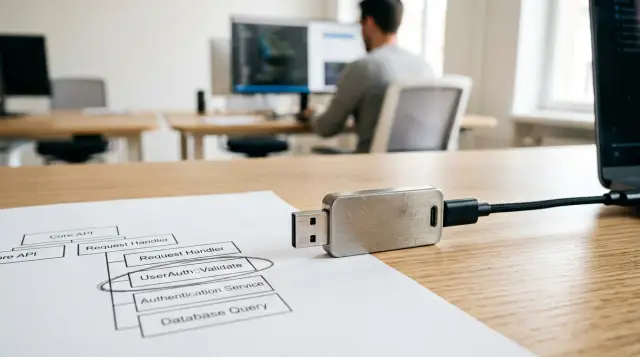
A timed-out AI agent is not necessarily stopped. If its shell wrapper, compiler, HTTP helper, or SSH command forked a child before the timeout fired, that child may continue after the parent PID is gone. If it inherited a usable credential or an already-authenticated connection, the timeout did not end the authority you thought you revoked.
I have seen incident notes that begin with "the agent was killed at 14:03" and then end with an API call at 14:11. Usually nobody found a clever exploit. The runner killed one process, while the useful work had already moved into another. Process cleanup sounds like plumbing until an autonomous agent can use production credentials. Then the plumbing is part of the security boundary.
Parent death does not end the work
A child process can outlive its parent because the kernel tracks processes independently, not as disposable extensions of a shell command. When a parent exits, the operating system reparents its children to a system reaper or supervisor. The child keeps its own PID, memory, file descriptors, sockets, current directory, and often its environment.
That behavior is legitimate. Build systems use it. Terminal multiplexers use it. Service managers depend on it. The mistake is treating a parent PID as the execution boundary for an agent run.
Consider a familiar chain:
agent-runner (PID 4102)
  shell tool wrapper (PID 4131)
    deployment script (PID 4140)
      ssh helper (PID 4144)
The runner reaches its deadline and sends a signal to PID 4102. If the shell or deployment script did not exit with it, the remaining chain can keep running. A more awkward case appears when the script launches a background job with &, uses nohup, calls a service manager, or asks a remote host to start work. The parent may die cleanly while the child has already made itself independent.
This is why an orphaned agent subprocess is more than a leftover CPU consumer. It is an unobserved continuation of a decision that a human or scheduler believed had ended. The damage depends on what the process can still reach, but the failure begins earlier: the runner chose the wrong unit to stop.
POSIX documents the ingredients behind this behavior in its process and job-control interfaces. A process group is a set of related processes with one process-group ID. Signals can target the group instead of a single member. A session groups one or more process groups and normally has a controlling terminal relationship. Those are distinct kernel concepts, and treating the words as interchangeable produces weak cleanup code.
A timeout must terminate a containment unit
A timeout is safe only when it targets a containment unit established before the agent starts. For a local command tree, that unit is usually a dedicated process group. The runner records the group ID immediately, then sends signals to that group when the deadline expires.
The sequence matters. Do not wait until cleanup to discover the children. By then, the original parent may be gone, the PPID relationship may already be misleading, and another run may have begun.
A practical timeout path has five actions:
- Create a dedicated group or supervisor-owned job before launching the agent.
- Record the run ID, PID, PGID, start time, command, and deadline in one record.
- On timeout, mark the run expired before sending a signal so new actions cannot be mistaken for approved work.
- Send
TERMto the recorded containment unit, wait a short defined grace period, then sendKILLonly to survivors. - Snapshot the result and store the signal times, exit state, and surviving PIDs.
The record comes first because cleanup can race with a fast process exit. If your log says only "killed agent," it cannot answer which process you killed, which children shared its group, or whether a child escaped before the signal.
On macOS, inspect the identifiers rather than trusting a process tree display. This command shows the fields that explain most timeout failures:
ps -axo pid,ppid,pgid,sid,lstart,etime,command
A healthy expired run might leave output shaped like this before cleanup:
  PID  PPID  PGID   SID  STARTED                  ELAPSED COMMAND
 4102  3988  4102  4102  Thu Jul 24 14:00:02 2026   00:31 agent-runner ...
 4131  4102  4102  4102  Thu Jul 24 14:00:02 2026   00:31 /bin/sh -c ...
 4144  4131  4102  4102  Thu Jul 24 14:00:04 2026   00:29 ssh ...
The values are illustrative, not a pattern to hard-code. The useful fact is that the run has a known PGID, 4102. Cleanup sends the signal to that group, not just to PID 4102. A negative target tells kill to signal a process group:
kill -TERM -4102
Verify the syntax for the language runtime and operating system you use. Some wrappers parse negative numbers poorly or treat an extra argument as a command option. Do not build a safety boundary around a command line you have not exercised under a real timeout.
A group signal still has a limit. A child can call setsid, create a new process group, hand work to another service, or start a process on a remote machine. Group discipline closes the ordinary local escape, not every possible escape. Your runner must treat those transitions as explicit handoffs with their own cancellation and audit story.
Process groups, sessions, and credentials solve different problems
A process group gives you a local signal target. A session gives a wider boundary and can isolate terminal job control. Neither one revokes a credential that a process has copied into memory or written to disk. Those are separate controls and need separate evidence.
This distinction gets blurred because the failure appears as one event: an agent times out and a later call succeeds. The cleanup layer asks, "Which local processes should stop?" Credential handling asks, "Which process can still authorize this external action?" Audit asks, "Can we prove which action happened after approval ended?" A process group answers only the first question.
Environment variables are the classic bad handoff. If a runner exports API_TOKEN, every descendant receives it unless a later process scrubs the environment. A child can copy the token, pass it to another program, or keep an authenticated connection alive. Replacing an environment variable after the parent starts does not retract the bytes already inherited.
Files and sockets are just as important. A process may inherit an open file descriptor that points to a credential file, a connected HTTPS socket with session state, or an SSH agent socket. A background process can keep using the descriptor after its parent exits. Close-on-exec helps prevent accidental inheritance across a new exec, but it does nothing when the child already has the descriptor or when the program deliberately passes it onward.
SSH deserves special caution. A private key loaded into a local helper, an SSH agent socket, a multiplexed control connection, and a remote command are four different lifetimes. Killing the local parent may leave an existing connection or remote command running. If the agent can invoke arbitrary SSH, the runner needs to know whether it authorized a local helper invocation, an authenticated channel, or a remote job. Calling all three "the SSH command" hides the boundary you need to control.
The safer pattern passes an action request, not the raw secret. The process asks an authority component to perform a particular HTTP request or SSH operation. That component holds the secret, decides whether the current run may use it, performs the action, and returns the result. An escaped child can still repeat requests while its run remains authorized, so the authority component must also understand expiry or revocation.
Sallyport follows that separation for its supported HTTP and SSH channels: the agent asks through its MCP shim, while the app holds the API or SSH material and executes the action rather than passing the secret into the agent process. That does not replace process cleanup, but it removes the easiest form of credential inheritance.
Backgrounding is an escape hatch, not a harmless shell detail
The most common cleanup failure begins with a shell convenience. Someone writes command &, starts a pipe, uses nohup, or launches a language runtime that spawns workers. The parent command looks finished or times out, and the worker keeps going.
A shell pipeline deserves special attention. A runner may execute /bin/sh -c 'generator | uploader' and record the shell PID. The shell has children for both sides of the pipeline. Depending on how the runner creates the group, killing only the shell can leave the generator or uploader alive. If the uploader owns a credential and network connection, that is exactly the process you needed to stop.
nohup is worse than many people admit. It prevents a process from receiving a hangup signal; it does not make a process trustworthy, and it does not announce itself to your runner. In automation, it usually means somebody wants work to survive a terminal or parent exit. That may be valid for a managed service, but it must move into a supervisor that owns the job and records its lifecycle. It should not sit inside an agent tool call by accident.
Detached children create a different class of problem. In Node.js, spawn with detached: true deliberately gives the child a new process group and session on Unix-like systems. That behavior can be useful for a desktop application that must survive its launcher. It is a bad default inside an agent executor because it defeats the executor's normal group kill.
import { spawn } from "node:child_process";

const child = spawn("/bin/sh", ["-c", "sleep 600"], {
  detached: true,
  stdio: "ignore"
});
child.unref();
That snippet is a cleanup test case, not an execution pattern to copy into an agent runner. It produces a child that no longer shares the parent's normal process group. If a tool framework can run code like this, process-group cleanup alone cannot give you a complete guarantee. Restrict detached execution, intercept it at the tool boundary, or run the tool in stronger operating-system containment.
The popular recommendation to "just kill the process tree" also fails when it means recursively walking PPIDs. PPIDs describe a moment, not a durable membership boundary. Reparenting changes them. A child can fork between your walk and your signal. A descendant can leave the tree. Record a group or job identity at launch, then make any escape from that identity a deliberate, auditable operation.
Do not clean up by command name
pkill and broad name matching feel attractive because they are short. They are also a poor fit for concurrent agent runs. pkill ssh can terminate an unrelated interactive connection. pkill python can remove a developer's local tool. Matching an argument string can miss a process that changed its arguments or call a false match in another run.
Use a command name only as an investigative clue. Use an ownership boundary for enforcement.
A runner that knows a process group can first inspect its members. On macOS, filter the process table using the recorded number, not a guessed executable name:
ps -axo pid,ppid,pgid,sid,etime,command | awk '$3 == 4102 || NR == 1'
The first column is PID, the second is PPID, and the third is PGID for this command layout. In production code, avoid parsing human-oriented text when your language can call native process APIs. For an operator terminal, this output gives a fast, readable check before you choose a signal.
Then signal the group and inspect again:
kill -TERM -4102
sleep 2
ps -axo pid,ppid,pgid,sid,etime,command | awk '$3 == 4102 || NR == 1'
If members remain, find out why before you reflexively send KILL. A process blocked in uninterruptible kernel work needs a different investigation than a process that ignored TERM. A process with a different PGID did not survive your signal by accident; it crossed the boundary. That is evidence of a design decision, a framework behavior, or a malicious tool.
After the defined grace period, KILL is appropriate for local processes that remain in the recorded group and should not finish. Do not promise graceful cleanup when the agent has exceeded its authority window. Grace is for closing files and recording status, not for continuing external work indefinitely.
Containers and service managers can give better ownership than a raw process group when you control the execution environment. macOS desktop agent workflows do not automatically get Linux cgroups, so do not import cgroup advice as if it applies unchanged. On a Mac, a dedicated child process group, narrow tool permissions, and an explicit remote-job contract are often the baseline. If you need resource ceilings or complete descendant containment, use an execution environment that actually provides those controls.
The audit must survive the parent
You cannot reconstruct an escaped action from the agent's final text. The parent may have died before it flushed logs, and a child that kept running has no reason to report back. Build the audit around immutable events observed outside the agent process.
For each run, record at least the following fields before allowing external work:
{
  "run_id": "run-7f3c",
  "started_at": "2026-07-24T14:00:02Z",
  "deadline_at": "2026-07-24T14:00:32Z",
  "parent_pid": 4102,
  "process_group": 4102,
  "approval_identity": "signed agent process identity",
  "state": "active"
}
The action record must include the run ID, an action sequence, the time the gateway accepted it, the channel, the target identity, and the outcome. Never log raw bearer values, private keys, authorization headers, or full request bodies by default. A record that exposes the credential while documenting its use creates a second incident.
When the timeout happens, append a state transition before signaling anything:
{
  "run_id": "run-7f3c",
  "event": "deadline_expired",
  "observed_at": "2026-07-24T14:00:32Z",
  "process_group": 4102,
  "signal": "TERM"
}
Now your investigation has a hard question with a hard answer: did an external action begin after deadline_expired? If the gateway accepts an action after that event, either it did not enforce run state or the caller did not carry the identity the gateway expected. If an action began before expiry but completed afterward, say that plainly. Starting and completing are different timestamps, and collapsing them makes ordinary in-flight work look like an escape.
Keep wall-clock time for humans and a monotonic elapsed value for ordering events inside one machine. Wall clocks can change through synchronization or manual adjustment. You do not need a lecture on timekeeping during an incident; you need enough data to avoid claiming that an action happened after its parent died when the clocks disagree.
Sallyport's Sessions and Activity journals separate the run view from individual calls, and its encrypted hash-chained log can be checked offline with sp audit verify. That is useful after a parent vanishes because the audit trail does not depend on the agent volunteering its own history.
An audit trail is evidence, not containment. It tells you that a call was made and supports later review. It does not terminate a local orphan, retract data already returned to it, or cancel a remote command that lacks a cancellation path. Treat those as different responsibilities and make each one visible in the run record.
Reconstruct the failure in the right order
When you find a suspected orphan, preserve facts before clearing the scene. A rushed kill -9 may be justified to stop harmful work, but it can erase the process relationships you need to fix the runner. Capture a process snapshot first when the situation allows it.
Start with the expired run record. Note its parent PID, PGID or job identity, start time, deadline, and every signal sent. Then take the current process snapshot. On macOS, compare PID, PPID, PGID, SID, elapsed time, and command. An orphan often has a PPID of 1 or a supervisor, but do not make that your only test. A process can remain a live risk while its PPID still points elsewhere.
Next, classify what escaped:
- A process in the original PGID survived the expected signal.
- A process has a new PGID or SID and therefore detached locally.
- A local process made a remote start request and the remote job continued.
- A credential or authenticated channel remained usable after the run expired.
Each class has a different repair. The first points to signal handling or cleanup timing. The second points to an unapproved detach mechanism. The third requires a remote job ID and cancellation protocol. The fourth requires the action authority to bind requests to a current run, rather than trusting the parent process to behave.
Then correlate action records with the timeline. Do not begin by reading agent transcripts. Look for requests accepted after expiry, targets that differ from the original instruction, repeat calls that continue a batch, and calls that the parent could not have reported because it had already exited. The transcript can explain intent later. It cannot prove that a network request did or did not happen.
Finally, decide whether the credential needs rotation or revocation. If no raw secret entered the agent and the action gateway rejected post-expiry calls, the remaining risk may be limited to data or changes already completed. If the child inherited a bearer token, private key, SSH agent access, or connected administrative channel, assume it may still act until you have disabled that authority. This is the point where teams lose time by debating whether the process "probably" did anything. If you cannot establish that it lost access, remove access.
A failure test should make the orphan obvious
A timeout harness needs a test that fails loudly when a child survives. Testing only that the parent returns a timeout proves almost nothing.
Create a fixture that starts a parent and child in the same recorded group. The child should wait long enough that the harness can time out the parent. The parent should report the child's PID and group before it blocks. After the timeout, assert that neither process exists and that the test action log has no accepted call after the expiry record.
This shell fixture shows the shape of the problem:
#!/bin/sh
(
  trap 'exit 0' TERM INT
  sleep 600 &
  child=$!
  printf 'parent=%s child=%s pgid=' "$$" "$child"
  ps -o pgid= -p "$$" | tr -d ' '
  wait "$child"
)
Run it under the same launch code your agent executor uses, not from an interactive terminal that quietly supplies different job-control behavior. Capture the printed IDs, force the deadline, and check the process table. If the child remains, you have learned something specific: either your launch did not create the group you assumed, or your timeout signal did not target it.
Repeat the test for the tools your agents actually invoke. Shell wrappers, Node child-process APIs, Python subprocess calls, package managers, compilers, and SSH helpers all make different choices about groups, descriptors, and signal forwarding. You do not need hundreds of tests. You need one destructive test for each launcher pattern that can create descendants.
Add a second fixture that tries to detach. A test may use a session-creating call or a runtime option that creates a detached child. The expected result should be rejection, supervisor ownership, or an explicit registration event. Quiet success is a defect because it tells the agent that it can move work outside the timeout boundary.
Do not stop at local PIDs. If your agent can start remote work, make the remote side return a job identifier and test cancellation after the local timeout. The desired state is not "the SSH client exited." The desired state is "the remote job identified by this run is stopped or its remaining work has a documented owner."
Approval should expire before the process does
Human approval for an agent run means little if a child can use that approval after the run is declared dead. Tie external action authority to a run identity and state that the authority component checks for every request. When the runner marks the run expired, new actions from that run must fail even if a local orphan still has CPU time.
This design does not mean prompting a human for every shell command. It means the component that can spend authority knows when a run ended. That component can give a run a short-lived handle, reject it after revocation, and record the refusal. The process-group kill then limits local damage, while the action boundary limits the consequences of a cleanup race.
Keep per-action approval for operations that need it, but do not confuse approval with supervision. A user may approve a signed agent process at the start of a session. If a descendant continues after the agent exits, it has exceeded the approved execution lifetime even if it inherited the same local context. Your system must make that condition enforceable rather than relying on the child to be polite.
The runner should also distinguish cancelling a run from cancelling an external effect. A canceled request may already have reached the API. A terminated SSH client may already have started a remote command. Record the cancellation request, the observed local exit, and any confirmation returned by the external system as separate events. That language is less comforting than "canceled," but it tells operators what they actually know.
The first repair I would make in an agent executor is small and unglamorous: create and record a dedicated process group at launch, then terminate that group in the timeout path and assert the result in a failure test. Pair it with an action boundary that refuses a run after expiry. Once those two facts are true, an orphan is an incident you can contain and explain instead of a vague fear that something may still be running.
FAQ
What is an orphaned subprocess in an AI agent run?
An orphan is a process whose original parent exited, so the operating system reparents it. It can still run, keep network connections open, and use any credential material it already received. A parent timeout only proves that one PID died.
Does killing an AI agent also kill its child processes?
Only if the runner starts the agent in an isolated process group or equivalent containment boundary, then terminates that whole boundary. Killing the parent PID alone leaves independently forked children untouched. Test this with a child that sleeps after its parent exits.
Should I use a process group or a session for agent timeouts?
Use a process group for a local macOS command tree, then signal the negative process-group ID after the deadline. A session can provide a broader boundary, while a service manager or container can impose stronger resource controls. Pick one boundary and record its identifier before work starts.
Can an orphaned process still use an API key after the agent is killed?
An SSH control socket, an open authenticated connection, an inherited file descriptor, or a long-lived bearer token can remain usable after the parent dies. The fix is to avoid handing raw credentials to the agent process and to give every external action a narrow lifetime. Revocation must cover the action path, not only the chat session.
How do I find child processes left by a timed-out agent on macOS?
On macOS, inspect PID, PPID, PGID, SID, elapsed time, and command line with ps before you send a signal. Look for processes whose PPID changed to 1 or another supervisor and whose PGID still matches the expired run. Preserve that snapshot before cleanup if you may need an incident record.
Is pkill safe for cleaning up timed-out AI agents?
No. A name match can kill an unrelated editor, test runner, or another agent run, and it can still miss a child that changed its executable name. Signal a recorded process group or a supervisor-owned job instead.
What should an AI agent execution audit record?
Start with the deadline, the process group or job identifier, the parent PID, the approved action identity, and timestamps from a monotonic clock. Add every external call, exit status, and cleanup signal. Without the boundary identifier, later attribution becomes guesswork.
Can an action gateway prevent credential leaks from orphan processes?
It helps only when the gateway keeps the credential outside the agent and logs the action independently of the agent's own output. You still need operating-system containment because an orphan can consume files, CPU, sockets, and data it already obtained. A gateway records what crossed its boundary; it cannot make a bad process tree disappear.
What should I do after discovering an orphaned agent process?
First, terminate the recorded group, wait briefly, and escalate only for survivors. Then snapshot remaining processes and correlate their start time, group, open network activity, and action records. Rotate or revoke a credential when you cannot establish that the escaped process lost access.
How can I test timeout cleanup for an autonomous coding agent?
Run a deliberate failure test in CI: let a parent spawn a child, make the parent exceed its timeout, then assert that neither PID remains and that no post-timeout action occurred. Repeat it for shell wrappers, language runtimes, and SSH helpers because each can add another layer of processes. A cleanup path you have not tested is only a hope.