
Replacing a developer Mac means rotating agent credentials
Replacing a developer Mac means separating data from authority, enrolling agent credentials safely, verifying the new vault, and revoking the old device.
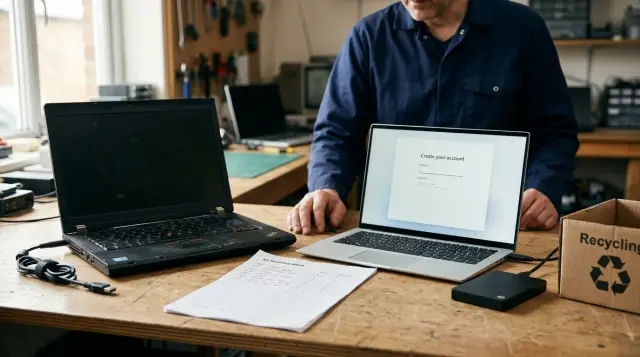
Replacing a developer Mac is an access change, not a file transfer. Your editor settings, repositories, shell history, and local build cache can move with ordinary migration tools. Credentials that let an AI agent call production APIs or open SSH sessions deserve a separate plan.
The mistake I see most often is treating the old Mac as a suitcase. A developer gets the new machine working, runs Migration Assistant, sees the familiar desktop, and assumes the move is done. What actually happened is that years of permissions, cached tokens, forgotten SSH identities, and agent tooling may have crossed a trust boundary without anyone checking what survived.
Move data separately from authority
Files are copies. Authority is the continuing ability to do something outside the Mac. An API token can create a deployment after the old laptop has left your house. An SSH public key can remain accepted by a server long after its private half was copied, backed up, or erased. A cloud session may refresh itself until its issuer revokes it.
That distinction changes the replacement plan. You can copy source code, notes, and nonsecret configuration early because you can compare them later. You should postpone authority until you have decided whether the new Mac needs the same credential, a replacement credential, or no credential at all.
Agent tooling makes the distinction sharper. A normal developer may type a command when an expired token forces attention. An autonomous coding agent can make calls quickly, repeat them, and operate while you are looking elsewhere. The agent does not need a plaintext secret to create risk. It only needs a route to an action that still accepts the old device's authority.
A sensible migration has two ledgers:
- A data ledger lists repositories, documents, configuration files, local databases, backup locations, and license material.
- An authority ledger lists every remote system that will accept an action because of something stored on, issued to, or approved from the old Mac.
Do not merge these lists. A repository can be restored twice without causing trouble. A bearer token copied twice creates two places to defend. That difference is why the usual advice to migrate first and clean up later is wrong for credentials.
Apple describes Migration Assistant as a transfer tool for documents, apps, user accounts, and settings. It does not delete the old Mac's information. Apple is describing normal migration correctly, but that is precisely why it is not a credential retirement procedure. The old machine remains a live copy until you deliberately take away its authority.
Fresh enrollment is the default choice
Fresh enrollment is usually safer because it forces you to decide what the replacement Mac may do. You sign in again, create a new token or SSH identity where the service supports it, give the new device the minimum role it needs, and remove the predecessor's access after the cutover works.
This approach feels slower because it exposes debt that account migration hides. You may find an old deploy token whose owner left the team, a personal access token with far broader scope than the task needs, or an SSH key copied across several machines because nobody wanted to interrupt a release. Those findings are useful. The replacement is one of the few moments when you can fix them without disrupting a working setup.
Choose fresh enrollment when any of these conditions applies:
- The old Mac has been used for more than one role, such as personal work, administration, and production support.
- You cannot name every credential or remote account that the old Mac can use.
- The old machine was repaired, shared, lost for a period, or otherwise outside your control.
- A credential issuer can create a device-specific token, certificate, application password, or SSH key.
- You are moving between employers, teams, managed device profiles, or Apple accounts.
Fresh enrollment also makes rollback cleaner. If the new Mac fails during the first working day, the old Mac can stay online temporarily while you correct access. That overlap has a cost, so set a short deadline and record it. The overlap should exist to prove the new machine works, not to avoid deciding what to revoke.
The wrong counterargument is that rotating every credential creates more credentials to manage. A short period with two named, inventoried credentials is manageable. An indefinite period where nobody knows whether a password manager item, a local keychain record, a backup, or an agent vault still carries the old authority is not.
Encrypted migration has a narrow job
An encrypted migration can be justified when re-enrollment would create unacceptable operational risk, when the credential issuer does not support clean replacement, or when a vault product has a documented export and import process designed for this exact move. It is not justified merely because retyping credentials is annoying.
Do not confuse a disk encrypted by the operating system with a portable encrypted credential package. Full-disk encryption protects a device while its storage remains under its normal protection model. A migration export becomes a new object. You need to know whether it has its own encryption, whether its decryption material lives separately, how long the file exists, and whether a restore can happen on a second machine without anyone noticing.
Use this test before you allow an encrypted vault export:
- Name the export format and the app version that can read it.
- Identify the encryption boundary for the export itself, not only for the disk containing it.
- Decide where the export will live during the cutover and set a deletion deadline.
- Confirm how the new vault proves the import succeeded without exposing secret values.
- Decide which credential records will be retired or rotated after import.
If one answer is vague, use fresh enrollment. Security migrations fail in the vague parts, not in the happy-path wizard.
There is another uncomfortable point: an encrypted export can be a backup in disguise. A team may import it into the new Mac, declare victory, then leave the archive in Time Machine, a shared file service, or an external drive. That export is still a credential container. It needs the same retention decision as the old Mac.
Encrypted migration and fresh enrollment are not opposites. The practical pattern can be mixed. Move low-impact service credentials through a documented encrypted path if you must. Reissue production tokens, privileged SSH keys, signing material, and anything that can reach customer data. Classify by consequence, not by whether a secret is easy to copy.
Build an authority ledger before touching the new Mac
Make the inventory on the old Mac while it still works. Do not rely on memory after the transfer, because migrated settings can make the new machine look complete even when important access is missing. The ledger should record references to secrets, not secret values.
A simple file is enough. Store it in a private work location that does not become part of a public repository.
Service: production deployment API
Purpose: release automation
Credential form: bearer token
Old-device location: agent vault record deploy-prod
Issuer: deployment service administrator
Replacement method: create new device token
Cutover test: read release status only
Old-access action: revoke old token
Owner: platform team
Status: pending

Service: build host
Purpose: remote build troubleshooting
Credential form: SSH identity
Old-device location: agent vault record build-ssh
Issuer: build host authorized_keys
Replacement method: create a new SSH key pair
Cutover test: ssh hostname
Old-access action: remove old public key
Owner: build infrastructure
Status: pending
The field that people skip is the old-access action. Without it, the inventory becomes a shopping list for the new Mac. It must be a removal plan for the old one as well.
Inventory credentials in places developers routinely forget:
- Agent vaults and agent configuration files.
- SSH configuration, SSH agent state, hardware-backed identities, and remote authorized key lists.
- Browser sessions for cloud consoles and identity providers.
- Package registries, code-hosting tools, deployment systems, and CI administration accounts.
- Local environment files, shell startup files, password managers, backup archives, and encrypted removable drives.
Do not put actual bearer tokens, private keys, recovery codes, or passwords in the ledger. The ledger is useful because it gives you enough information to replace and revoke access without becoming another high-value secret store.
For each item, write down the least destructive test. A deployment credential should begin by reading status, not creating a release. An SSH identity should begin with a constrained command or a host that has no production authority. If the only available test can alter production, that service has an access design problem worth fixing before the next hardware replacement.
A new vault must prove more than a successful login
A new vault is ready when you can account for expected records, unlock it under the new device's controls, make a bounded action through it, and inspect an independent trail of that action. Seeing a familiar label in an app is not enough. A copied label can point to an expired record, a wrong account, or a credential that was never present.
For a vault that holds credentials for agents, use a test sequence with an explicit order:
- Lock the vault and attempt the harmless action. The request should be denied while the vault is locked.
- Unlock it through the normal local control and run the same harmless action again.
- Start a fresh agent process and confirm that the authorization behavior matches your intended session setting.
- Inspect the individual activity record for the call and the session record for the agent run.
- Verify the audit trail before you remove any source material from the old Mac.
Sallyport keeps its secrets in an encrypted local vault and performs HTTP and SSH actions without handing plaintext credentials to the agent. Its vault gate denies actions while locked, which makes the first test above meaningful rather than cosmetic.
Use the audit command as part of the acceptance record:
sp audit verify
Run it on the new Mac after the test call, and record the date, operator, test target, and result in the migration ticket or change log. The point is not to create paperwork. It is to preserve evidence that the new machine produced a valid trail before you destroyed the source device. A hash-chained audit record can catch alteration of the log, but it cannot tell you that you forgot to enroll a credential. The authority ledger covers that separate problem.
Keep the test small. If a credential cannot safely perform a read-only request, create a dedicated test endpoint or a constrained account for the migration. People often use a real production change as proof because it is decisive. It is decisive in the worst possible way: it turns a migration test into an incident when it targets the wrong account.
Migration Assistant is useful, but it is not a vault protocol
Migration Assistant can save hours when you need applications, user accounts, files, and settings from the old Mac. It can also transfer an entire user environment from a Time Machine backup. Apple documents both uses. That breadth is helpful for restoring a workstation, but it gives you no narrow proof of which credential-bearing files, sessions, caches, and app records came along.
Use it for the data ledger. Treat every authority item as absent until you verify it under the new machine's intended controls. This mindset avoids two bad outcomes: trusting an accidental migration of sensitive state, and wasting time hunting for a credential that was correctly designed not to transfer.
A common failure looks like this. A developer migrates their account, opens an agent project, and sees the agent make a successful HTTP call. They assume the new vault works. The call actually used a browser-derived cloud session or a token still present in a copied configuration file. A week later, that session expires. The developer adds a replacement credential in a hurry, leaves the copied credential behind, and now the old Mac, a backup, and the new vault all have paths to the same service.
The fix is not to ban Migration Assistant. The fix is to isolate the proof. Before agent testing, close unrelated browser sessions, avoid copied environment files for the test, and use a vault record you deliberately enrolled or deliberately imported. Then inspect the resulting activity record. You need to know which route performed the action.
Apple also says Migration Assistant does not delete information from the old Mac. Build your cutover around that fact. A migration completion screen means the copy finished. It does not mean the former device became safe to hand to someone else.
Revoke the old Mac before you erase it
Revocation has layers, and treating them as one action creates false confidence. Ending an agent run stops a process. Removing a device from an identity provider may end some sessions. Revoking a bearer token prevents future API use. Removing an SSH public key stops remote login through that identity. Changing a password may invalidate some sessions but leave others alive, depending on the service.
Write the revocation action against each ledger entry before you start. Do not settle for a note that says "disable old device." Remote systems do not share one universal definition of device access.
A practical order is:
- Revoke active agent sessions and stop local agent processes on the old Mac.
- Rotate or revoke upstream API tokens, application passwords, cloud sessions, and service account credentials that remain valid from the old device.
- Remove old SSH public keys from every server, bastion, and code-hosting account that accepts them.
- Remove device trust or browser sessions from identity systems where the service exposes that control.
- Re-run the ledger and mark each item with the evidence of revocation.
Sallyport's Sessions journal can revoke an agent run immediately, while its Activity journal gives you individual calls to inspect. Use that for the live-process layer, then finish the upstream credential work. A revoked local session does not revoke a token that an external service would still accept.
Do not erase first because the old Mac may contain the only record of an obscure service account, a hardware token pairing, or a host alias you need to remove. Leave it powered down and physically controlled while you verify the new Mac. If you must keep it online during testing, do not run agents on it, do not add credentials to it, and set an explicit cutover deadline.
The moment you confirm revocation, the old Mac changes role. It is no longer a fallback workstation. It is evidence retained briefly in case a service reports unexpected access, then a device ready for erasure.
Disposal is a separate security control
Erasing the Mac does not replace revocation, and revocation does not replace erasing the Mac. You need both. Remote revocation limits what a copied credential can do. Erasure removes local data, local application state, downloaded source, browser history, and the vault material that may remain on the device.
For a Mac with Apple silicon, or an Intel Mac with the T2 Security Chip running a supported macOS version, use System Settings, General, Transfer or Reset, then Erase All Content and Settings. Apple says Erase Assistant removes user accounts, user data, installed apps, Apple service sign-ins, Find My, and Activation Lock. It also erases volumes rather than only the current user account.
If the option is unavailable, do not improvise with file deletion or a quick disk format. Apple directs older unsupported hardware to the appropriate Recovery and Disk Utility erase procedure. The method differs because the supported hardware and security model differ.
After the erase completes, stop at the initial setup screen if you will sell, trade in, give away, or recycle the Mac. Apple specifically advises not to continue through setup in that situation. Completing setup just creates another local account on a computer that should be leaving your control.
If the old Mac is missing or you suspect it was altered, do not restore its user account onto the new machine. Apple warns against restoring from a backup when you are resetting because of suspected tampering, since the backup may restore the unwanted software too. In that case, prioritize remote credential revocation and a clean setup of the replacement Mac.
Keep the replacement procedure boring enough to repeat
The best hardware replacement process does not depend on a heroic memory of where secrets live. It produces the same records each time: a data ledger, an authority ledger, bounded tests on the new Mac, revocation evidence for the old one, and an erase confirmation.
Do not require every developer to become a credential forensics specialist. Require services to issue device-specific credentials where possible. Require names and owners for privileged access. Give engineers a read-only test route. Make revocation obvious in each service. Those habits reduce the work of a Mac replacement and make every other incident easier to contain.
A replacement Mac should receive only the authority it can justify on its first day. If that feels inconvenient, leave the old device powered down for one more verification pass. That delay is cheaper than discovering months later that a discarded laptop still had a route into production.
FAQ
Should I migrate all credentials when I replace my Mac?
Usually, no. Treat the Mac replacement as a reason to create a fresh security boundary, then enroll only the credentials and access paths the new machine actually needs. Copying a user account is convenient, but convenience is not proof that inherited access remains appropriate.
When is encrypted credential migration safe?
Use encrypted vault migration only when the vault product explicitly documents it, encrypts the export independently, and lets you verify the import before the old copy is destroyed. If you cannot explain where the export lived, who could decrypt it, and how the import proves completeness, enroll again instead.
What does fresh credential enrollment mean?
Fresh enrollment means you issue or enter credentials again on the replacement Mac and retire the old ones where practical. It takes longer, but it removes inherited state, stale permissions, and unknown copies from the move.
Does Migration Assistant safely transfer agent credentials?
No. Migration Assistant moves broad categories such as user accounts, apps, files, and settings. That is useful for restoring a working environment, but it is not a reviewed transfer of authority from one machine to another. (support.apple.com)
How do I verify a credential vault on a new Mac?
First prove that the replacement can access the intended service with the intended account, then inspect the vault inventory and run its audit verification command if it has one. A successful first request is necessary, but it does not prove that every expected credential arrived or that the old device lost access.
What should I revoke before disposing of an old developer Mac?
Revoke active agent sessions first, then remove or rotate the upstream credentials that made those sessions useful. Session revocation stops a running process; token and SSH key revocation removes the old Mac's continuing authority.
Should I erase my old Mac before the new one is working?
Keep the old Mac intact until you have tested the new machine, verified your credential inventory, and revoked old access. Once the old device is erased, it cannot answer the awkward questions that show up during a failed cutover.
Is Erase All Content and Settings enough before selling a Mac?
For supported Macs, Apple says Erase All Content and Settings removes user accounts, data, installed apps, Apple service sign-ins, Find My, and Activation Lock. If that option is unavailable, use the correct Recovery and Disk Utility procedure for the hardware instead. (support.apple.com)
What is the safest order for replacing and disposing of a Mac?
The sensible order is test the new Mac, revoke the old Mac's access, erase it, and only then hand it over. Do not complete the setup assistant after erasing a computer you plan to sell, trade in, or give away. (support.apple.com)
What if my old developer Mac is lost before I can migrate it?
If the old Mac is lost, stolen, or you suspect tampering, do not wait for a tidy migration. Revoke service credentials, invalidate SSH keys, end agent sessions, and use Find My or device management to erase the machine if those controls were already enabled. (support.apple.com)