
Are Touch ID fallback paths safe for agent approvals?
Touch ID fallback paths for agent approvals, covering clamshell mode, external keyboards, failed scans, sensor lockout, waits, and hard stops.
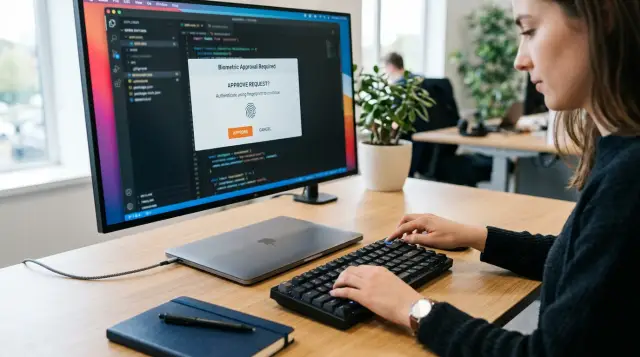
Touch ID approval flows fail in ordinary ways: the laptop lid is closed, the external keyboard is not the right kind, the sensor misses a finger, or macOS locks biometry after repeated failures. If an agent can turn those conditions into an ambiguous approval state, the system has already made the dangerous mistake. The fallback path must say whether an action is still pending, definitely denied, or waiting for a separate authentication event.
That sounds like interface work until an agent is holding an SSH capability or preparing an authenticated API request. Then every vague state becomes operational behavior. An agent does not understand "try again later" unless the gateway gives it a precise result. Humans also make poor decisions when the only signal is a stubborn biometric prompt and a request that may or may not still be live.
The design rule I use is simple: a biometric failure may delay a request, but it never widens authority. A missing sensor may change the route to a human decision, but it never lets the agent choose a weaker route. A locked credential vault stops secret-backed work until its stated gate opens again.
Touch ID availability is not the same as approval
Touch ID answers whether macOS can verify a person through a biometric sensor at this moment. Approval answers whether that verified person authorizes this agent process or this proposed action. Treating those as one event creates bad fallback behavior because the causes of failure belong to different layers.
A per-session approval can be a simple human decision: the person reads the requesting process identity and accepts or rejects the run. A per-call approval asks again because the credential owner marked that particular key as sensitive enough to require it. Neither decision says that an encrypted credential vault is available. The vault might remain locked, the Mac might be at its login window, or the physical sensor might be unreachable.
Sallyport keeps this separation useful rather than decorative. Its vault gate is absolute: while the vault is locked, every action is denied. Per-session authorization and per-call keys decide agent authority only after that gate permits an action. That means a pleasant approval card cannot become a back door around a locked vault.
This distinction also prevents a common but sloppy recommendation: "If Touch ID fails, just show a normal approval button." That can be correct for a human authorization prompt that is designed to allow a click. It is wrong if the failing Touch ID request is the thing that protects access to a credential vault. The same screen may contain both concepts, but they must produce different state changes.
Use separate states in the agent protocol as well:
awaiting_human_approvalmeans the action has not run and a human can approve or reject the identified request.awaiting_vault_unlockmeans the action cannot proceed because the secret boundary is closed.deniedmeans the gateway will not retain authority for this request.expiredmeans the request waited too long and must be proposed again.
Do not call all four states "approval required." That phrase hides the one fact the agent needs most: whether it should wait, stop, or prepare a fresh request.
Clamshell mode removes the built-in sensor
A closed MacBook lid makes the built-in Touch ID sensor physically inaccessible. Apple calls out clamshell mode as the current example of an inaccessible built-in biometric sensor on macOS: a closed MacBook connected to an external monitor and keyboard cannot use its internal Touch ID sensor unless the external keyboard has Touch ID.
That behavior is not an edge case for people running coding agents. The MacBook sits under a desk or beside a monitor precisely because the machine stays on for long stretches. If the approval design assumes the user can reach the power button, it will work during a demo and fail during normal use.
Map the desk arrangement before you decide fallback behavior:
| Physical arrangement | Touch ID route | Correct gateway behavior |
|---|---|---|
| Laptop open | Built-in sensor may be reachable | Offer Touch ID where the control permits it. |
| Laptop closed, external keyboard without Touch ID | Built-in sensor is unavailable | Do not invite a scan. Show an approval route that the control actually permits, or deny secret-backed work while the vault remains locked. |
| Laptop closed, external keyboard with Touch ID | External sensor may provide Touch ID | Offer the scan only after macOS reports biometry usable. |
| Laptop closed, Touch ID keyboard disconnected or uncharged | No usable biometric path | Mark biometric approval unavailable and follow the same rule as any unavailable sensor. |
The important word in that table is "may." Hardware presence does not prove current usability. A wireless keyboard can be powered off, disconnected, paired to another computer, or simply not available to the current user session. The application should ask the operating system whether the requested policy can run before it renders language that tells someone to touch a sensor.
Do not make clamshell mode an automatic reason to lower an action from per-call approval to per-session approval. That change lasts beyond the physical problem and grants a broader scope than the user saw. If the request needs a per-call decision, keep it per-call. Present a click approval if that control allows one, or make the action wait or fail according to its class.
There is a practical difference between "a person cannot scan" and "a person cannot approve." A person with a regular external keyboard can still read a card and click an approval button. That is enough for a per-call key designed for one-click or Touch ID approval. It does not unlock a Touch ID-gated vault. Keep the language on screen equally blunt: "Approval available, vault locked" is far better than a generic red failure banner.
A failed scan should hold one request, not create new authority
One failed fingerprint scan is normal. Dry skin, a poor finger angle, residue on the sensor, and a hurried touch all happen. The right response is a bounded retry state, not an instant denial and not an endless live request.
Apple's LocalAuthentication documentation distinguishes a simple authentication failure from biometric lockout. A failed credential check reports authenticationFailed; lockout is a separate state after too many unsuccessful attempts. Your gateway should preserve that distinction because the recovery paths differ.
For an ordinary failed scan, keep the original action immutable and pending for a short interval. The user should see what they are approving, which agent process asked, the target host or API, the credential label, and the meaningful operation. The agent should receive a machine-readable pending result instead of a timeout disguised as failure.
A useful response shape looks like this:
{
  "status": "awaiting_human_approval",
  "request_id": "apr_7f3c",
  "reason": "biometric_retry",
  "expires_at": "2026-07-22T18:42:00Z",
  "retry_after_ms": 1500,
  "action_started": false
}
The request_id must bind to the full proposed action, not merely the credential. If an agent asks to run git push and then changes the remote, branch, or command after the user retries Touch ID, it has made a different request. Reject it or require a new approval card. Reusing an approval because the same process still exists is how harmless retries turn into a confused-deputy bug.
Set two limits. First, rate-limit UI attempts enough that a faulty agent cannot keep reopening attention-grabbing prompts. Second, expire the pending request after a short, visible period. A human who comes back ten minutes later should decide on a newly rendered request, because the agent's repository state, API payload, or remote system may have changed.
The retry state should retain no credential material in the agent process. The agent can hold its intended command or request body, but the gateway must not hand over a token "while it waits" for authentication. Secret injection happens only when the gateway executes the approved channel operation.
This is where teams often put the wrong retry loop in the wrong place. They let the agent retry the entire tool invocation every few seconds. That produces duplicate cards, increases the chance of repeated API operations, and teaches the model that persistence is a route around hesitation. The gateway owns the pending request. The agent polls or waits on that request ID. It does not manufacture fresh requests until the first one expires or is denied.
Sensor lockout means the biometric route has ended
Sensor lockout is not a request that needs another fingerprint. It is macOS saying that biometry is disabled until the user performs the operating system's required recovery. Apple documents biometryLockout as the state reached after too many failed attempts, and says a passcode is required to unlock biometry.
That distinction has a direct consequence for agent actions: stop prompting for Touch ID. A dialog that keeps asking for a fingerprint after the operating system has locked the sensor is misleading and can cause users to hammer the sensor harder. Tell the person that macOS requires account authentication to restore Touch ID, then end or suspend the gateway request according to its action class.
Do not quietly treat the account password as interchangeable with Touch ID. Apple's deviceOwnerAuthentication policy can use Touch ID, a nearby paired Apple Watch, or the user's macOS password. Apple's biometrics-only policy instead fails when biometry is unavailable, not enrolled, or locked out. Both are valid system policies. They make different security promises.
If your vault gate says Touch ID is the gate, password fallback changes the gate. You may decide that a macOS password is an acceptable alternate authenticator in a different product design, but you must state and implement that choice at the vault boundary. Do not inherit it accidentally because a framework offers a convenient default.
For a Touch ID-bound vault, lockout should produce a terminal operational result for every secret-backed call currently waiting:
status: denied
reason: vault_authentication_unavailable
recovery: authenticate with macOS to restore Touch ID, then submit a new request
action_started: false
This is intentionally stricter than a transient failed scan. The person must complete a recovery action outside the gateway's approval flow. Keeping the old request alive through that recovery creates an ugly ambiguity: did the later account-password entry authorize the original SSH command, or merely restore the sensor? Make the answer unambiguous. It restored the sensor. The agent must request the operation again.
For approvals that do not depend on vault unlock, you can choose a different result. A session authorization card can remain available as a one-click decision if its design permits that and the action itself does not need a locked secret. The UI should say exactly which thing failed. "Touch ID locked, click approval still available" is a coherent message. "Authentication failed" is not.
Make wait versus stop a property of the action
Do not decide whether to wait based only on the error code. Decide it from the action's consequence, its freshness requirement, and the state of the credential boundary. The same unavailable sensor should make a harmless status query wait, an irreversible infrastructure command stop, and a vault-backed request fail until the vault unlocks.
I use three action classes.
Class one: hold for a short human response
Hold an action only when all of these statements are true:
- The gateway has not started the operation or injected a credential.
- The request has a stable identity and a visible expiry.
- Replaying it after approval will not surprise the user because the target and payload remain fixed.
- The action is reversible, read-only, or idempotent enough that a brief delay does not alter its meaning.
Examples include reading a private package version, fetching a repository's protected branch settings, or making a clearly identified dry-run API request. Even then, the hold belongs in the gateway, not in an agent's retry loop.
Class two: stop and require a fresh request
Stop when delay changes the practical meaning of the command. A deployment, a production database migration, a force push, a credential rotation, a payment capture, or an SSH command that deletes data should not sit around with a latent approval. The user who sees it later deserves a new card that reflects the current context.
Stop also if the request includes ephemeral values. A signed API request, a one-time deployment artifact, a short-lived URL, or a command whose local workspace has changed should not be resumed from stale intent. The gateway cannot know that the agent still means the same thing merely because the process has not exited.
Class three: deny immediately because the vault is closed
A locked vault takes priority over convenience. If the proposed HTTP call or SSH command requires a stored secret and the vault gate is locked, deny the action rather than queueing it for automatic execution after unlock. The user can unlock the vault, then the agent can submit a new request. That preserves a clean causal record: unlock first, propose second, execute last.
This is where Sallyport's fixed decision ladder earns its keep. Its vault gate denies every action while locked, then per-session authorization and per-call approval apply to the request. There is no policy language trying to infer that a delayed curl is harmless enough to resurrect after a biometric event.
The tempting alternative is an execution queue that wakes when the user touches the sensor. It is popular because it makes demonstrations look smooth. In real use, it turns authentication into a trigger for work that may no longer be intended. Approval should release a request a person can still see, not drain a backlog assembled while they were away.
External Touch ID keyboards need an availability check
An external Touch ID keyboard solves one clamshell problem, but it adds another dependency. The keyboard must be present and usable in the active Mac session when the approval occurs. Treat that as a live condition, not a one-time setup fact.
Apple's LocalAuthentication errors include biometryDisconnected and biometryNotPaired for removable biometric accessories. Those codes matter because they distinguish absent hardware from a person who failed to authenticate. A disconnected keyboard should never consume a retry attempt or count toward a user failure rate.
Your UI and protocol should respond differently to four states:
| State | What the person sees | What the agent receives |
|---|---|---|
| Sensor ready | A clear request and a Touch ID affordance | awaiting_human_approval |
| Sensor inaccessible in clamshell mode | An explanation that the built-in sensor cannot be reached | approval_path_unavailable or a permitted click route |
| External sensor disconnected | A prompt to reconnect, charge, or use the permitted alternate approval method | approval_path_unavailable |
| Scan rejected | The same immutable request and a retry cue | awaiting_human_approval with biometric_retry |
Do not expose raw framework error names to the person, but keep them in the local activity record. "External Touch ID keyboard unavailable" is helpful. LAError.biometryDisconnected belongs in diagnostics and tests.
The approval card must also remain operable without the sensor. This is partly a security concern and partly basic usability. A mouse, trackpad, keyboard focus, and accessibility controls should still let someone reject a request or choose a permitted click approval. An inaccessible biometric sensor must never trap a person in an unanswerable prompt.
The approval screen needs to name the blocked boundary
Most confusion comes from a single generic modal that tries to represent every form of authentication. Split the message by the boundary that is waiting.
For a per-session request, show the requesting process's code-signing authority first, then give the human a clear approve or reject choice. This is the moment where the human decides whether that agent run may operate. If Touch ID is available, it can confirm the choice. If the design allows a click, clamshell mode should not turn the card into a dead end.
For a per-call key, show the exact action and credential label. A one-click approval is still a per-call decision only if it applies to one immutable request and expires quickly. Do not let an agent batch five calls behind a single button merely because Touch ID is inconvenient at that desk.
For a locked vault, say that the vault is locked and the action did not start. Do not frame the message as a rejected agent request, because the human may assume they need to click again. The recovery belongs to the vault's stated authentication mechanism. Once it opens, require a fresh request for any action that needs the secret.
A good audit record separates these transitions. For example:
2026-07-22T18:40:12Z request.created     id=apr_7f3c channel=ssh action="git push origin main"
2026-07-22T18:40:13Z approval.pending   id=apr_7f3c method=touch_id
2026-07-22T18:40:16Z biometric.failed   id=apr_7f3c source=built_in_sensor
2026-07-22T18:41:02Z request.expired    id=apr_7f3c action_started=false
The action log should not pretend that a failed scan was an authorization denial. It was a failed authentication attempt. The request expired without execution. Those words matter during review, especially when an agent claims it "couldn't deploy" and an operator needs to know whether the system blocked it, the user rejected it, or nobody completed the prompt.
For tamper-evident audit systems, record the state transition before returning it to the agent. Sallyport projects its Sessions and Activity journals from one encrypted, hash-chained log, and its sp audit verify command verifies that chain offline over ciphertext. That gives a later reviewer evidence that a request expired or was denied without requiring the reviewer to trust an agent's own transcript.
Test the physical desk, not just the happy-path API
A LocalAuthentication unit test that returns success and failure codes is necessary, but it proves almost nothing about an approval flow. The failures that frustrate users appear where hardware arrangement, desktop state, and agent timing meet.
Run this test sequence on a real Mac before declaring the flow finished:
- Start an agent session with the laptop open, submit one per-call request, reject it, then submit a fresh request and approve it. Confirm that the rejected request never executes.
- Close the lid and attach an external monitor plus a keyboard without Touch ID. Confirm that the UI does not ask the user to touch an unreachable sensor. Test both a click-eligible approval and a vault-backed request.
- Repeat with a working external Touch ID keyboard. Disconnect or power it off while an approval is pending. Confirm that the request reports unavailable hardware rather than a failed biometric attempt.
- Trigger repeated unsuccessful scans until macOS enters lockout. Confirm that biometric prompts stop, secret-backed requests do not queue for later execution, and recovery requires a newly submitted action.
- Leave a pending request until expiry. Change the repository branch, command arguments, or API payload before sending a new request. Confirm that the new proposal gets a different request ID and a new human decision.
Check the logs after every run. You want to see one request creation event, a sequence of state changes, and either one execution event or none. Multiple executions after one approval signal a replay or retry defect. A missing terminal event means support staff will have to guess whether the agent is still waiting.
Also test cancellation. The user must be able to reject while Touch ID is unavailable, the agent must be able to abandon a pending request, and application shutdown must invalidate live approvals. Apple distinguishes user cancellation, application cancellation, and system cancellation in LocalAuthentication. Your audit model should retain that distinction even if the UI groups them under a plain-language "canceled" message.
A dependable fallback path feels almost boring when it works. The screen tells the truth about the sensor, the agent gets a state it can obey, secrets stay in the vault, and no action escapes because someone closed a laptop lid. That is the standard to hold: every physical failure leads to a specific, non-escalating outcome.
FAQ
Does Touch ID work when a MacBook is closed in clamshell mode?
Clamshell mode removes access to the laptop's built-in Touch ID sensor because the lid is closed. Apple documents this as a built-in sensor accessibility issue; Touch ID can still be available if the external keyboard has its own Touch ID sensor.
What should an agent do after a failed Touch ID scan?
A failed scan means the biometric check did not verify the person. Keep the request pending for a short, visible retry window, but do not run the action and do not convert the failure into silent approval.
Can an app bypass Touch ID lockout with a password?
No. A sensor lockout means macOS requires the user to authenticate with their account password before biometry can work again. Treat it as a changed device-authentication state, not as a routine failed scan.
Is an approval click equivalent to unlocking the credential vault?
They are different controls. An approval decides whether a specific agent or call may proceed; a vault gate decides whether any secret-backed action can run at all. A click cannot replace an unavailable vault unlock without weakening that boundary.
Should an agent request wait for Touch ID to become available?
Only if the action remains unexecuted, has a clear expiry, and can be safely resumed with the same request details. A queued approval must never become permission for the agent to substitute a later request.
Which agent actions should stop instead of waiting for approval?
Stop requests that are destructive, time-sensitive, hard to identify later, or dependent on a vault that is locked. Waiting is appropriate only for bounded, non-executing requests with a human-readable resumption path.
How should an approval UI handle a disconnected Touch ID keyboard?
It needs a clear status, a way to reconnect or charge the keyboard, and a way to cancel the pending request. Do not imply that a paired keyboard is available merely because a Bluetooth device was seen earlier.
Does macOS password fallback mean every Touch ID approval should accept a password?
No. macOS can offer account-password fallback through its general device-owner authentication policy, but a product that promises a Touch ID-bound vault gate has to decide explicitly whether password fallback preserves its security claim. Those are separate designs.
What should a user do after too many Touch ID failures?
Use the macOS account password when the operating system asks for it to restore biometric availability. For the agent action itself, follow the product's stated gate and approval rules rather than treating the password prompt as automatic permission.
What should teams test for Touch ID approval fallback paths?
Test the physical arrangements people actually use: lid open, lid closed with a non-Touch ID keyboard, lid closed with a Touch ID keyboard, disconnected keyboard, repeated failed scans, and biometric lockout. Record whether the request waits, expires, or is denied in each case.